Free & Open Source

Your tracks. Your sets.
Your way.

CueDrive analyzes your music library — BPM, key, energy — builds intelligent DJ sets with energy arc templates, and exports directly to Pioneer CDJ or Traktor. Offline. Always free.

Everything a DJ needs

One app to analyze, organize and export your entire music library.

🔬

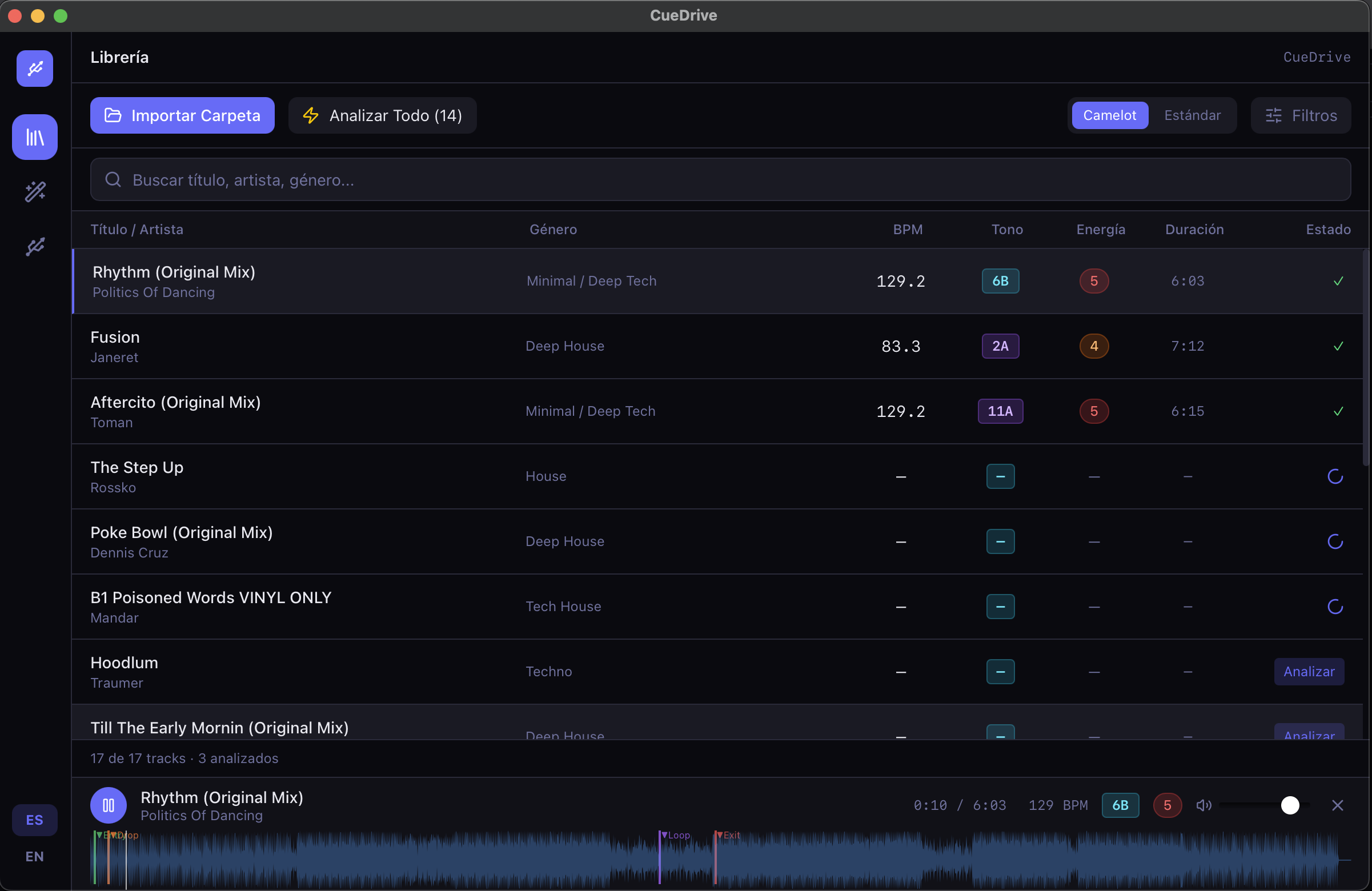
Deep Track Analysis

Auto-detect BPM, musical key (Camelot wheel), and energy level for every track in your library. No manual tagging.

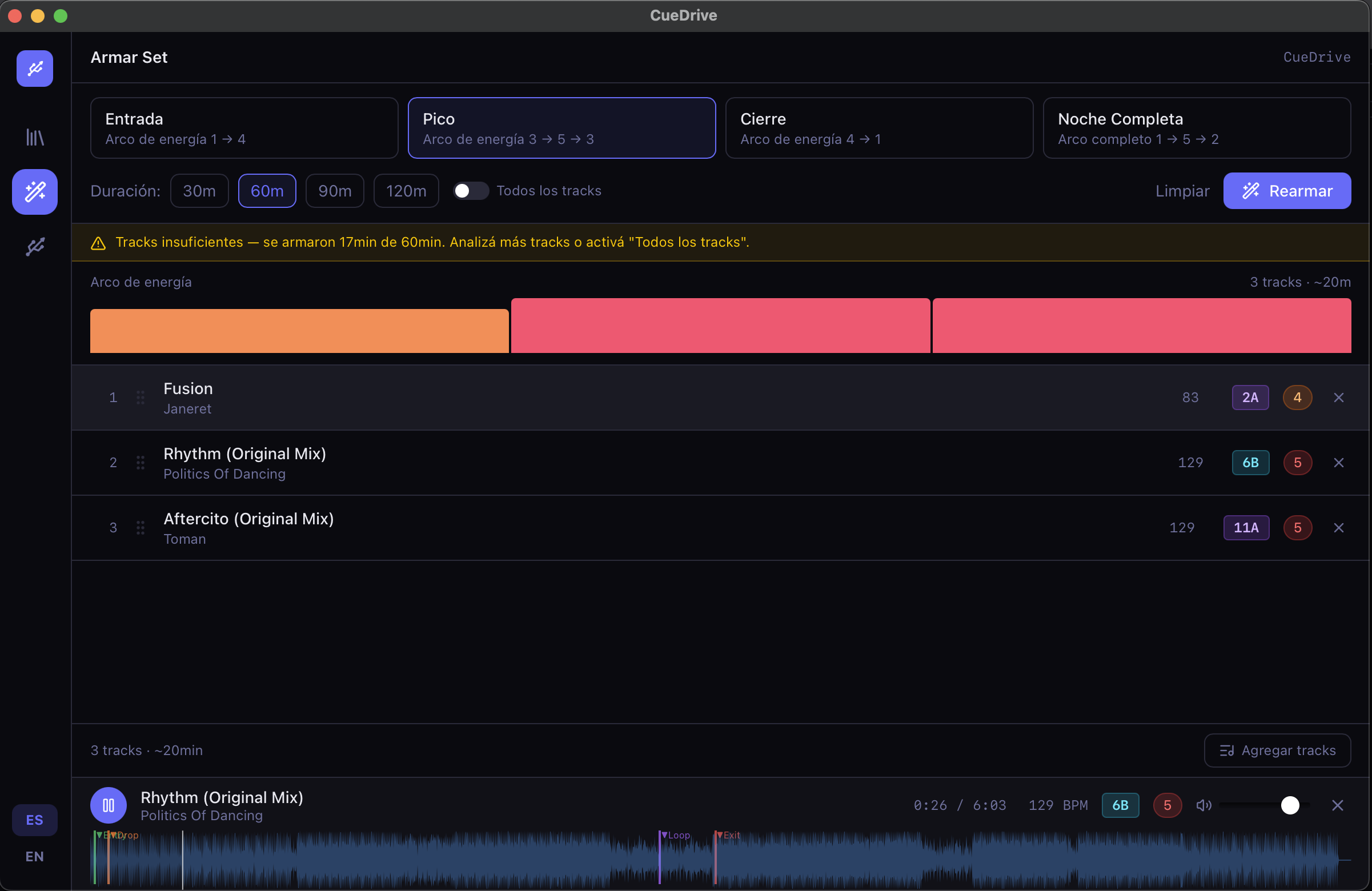
Smart Set Builder

Build DJ sets that follow a natural energy arc — warm-up, peak, cool-down — with drag-and-drop track ordering and harmonic mix suggestions.

🌊

Waveform Preview

Visual waveform rendering with cue point markers lets you preview tracks and plan transitions before you ever plug in a USB.

💿

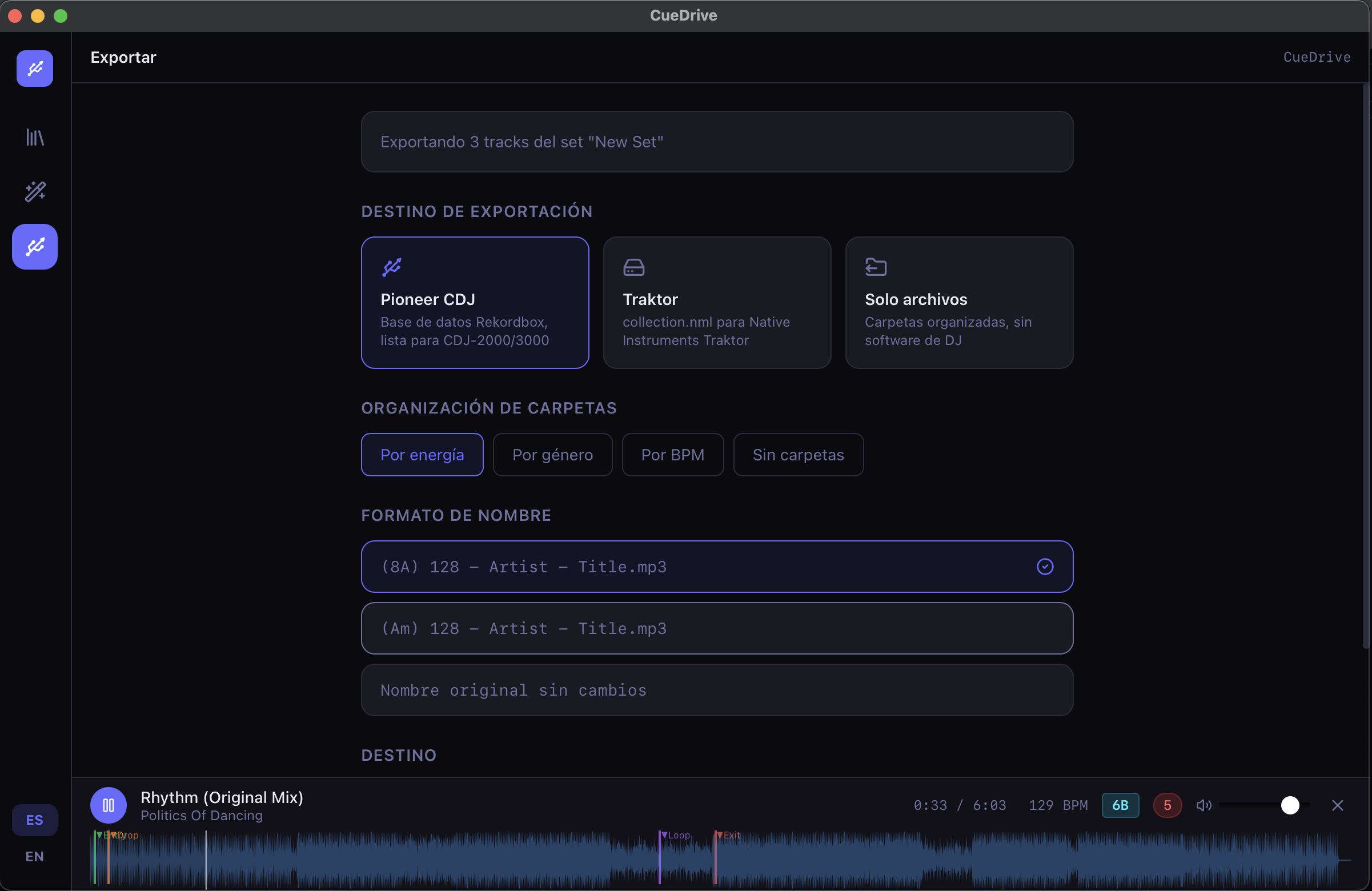
Pioneer CDJ Export

Export your set directly to a USB formatted for Pioneer CDJ-2000NXS2, XDJ-700, XDJ-RX3 and all NXS2-compatible players.

🎛️

Traktor Support

Export your library as a Traktor NML collection, preserving cue points, BPM grids, and folder structure for seamless integration.

📚

Multi-folder Library

Import from multiple folders and organize tracks into manual or smart collections — like crates in Serato or Rekordbox.

🎚️

Bass & Vocal Compatibility

The set builder detects bass energy (sub-bass and bass) and avoids placing two vocal tracks back-to-back, for smoother transitions.

🌍

Bilingual Interface

Full English and Spanish support throughout the app. Switch in one click — no restart needed.
From folder to USB in minutes

Three steps. No account. No cloud. No subscription.

01

Import

Point CueDrive at any folder on your Mac. It scans all audio files — MP3, FLAC, AAC, WAV — instantly.

02

Analyze

CueDrive detects BPM, key, and energy for each track and lets you build a set using the visual energy arc editor.

03

Export

Choose Pioneer CDJ, Traktor, or plain files. CueDrive writes everything to your USB — ready to plug into any booth.

Free. Always.

No account required. No telemetry. No subscription. Just download and play.

🍎

macOS

macOS 11 or later · Intel x64
📦 ~4.8 MB · DMG
Download for macOS
🪟

Windows

Windows 10 or later · 64-bit
NSIS Installer · .exe
Download for Windows
🍎

Installing on macOS

CueDrive is not yet signed by Apple (certificate pending). macOS Gatekeeper will warn you the first time. This is normal for indie open-source apps.

  1. Download and open the .dmg file
  2. Drag CueDrive to your Applications folder
  3. Right-click the app → "Open" (do NOT double-click)
  4. Click "Open" in the Gatekeeper dialog
  5. Done — from now on it opens normally
🪟

Installing on Windows

CueDrive is not yet signed with a paid Windows certificate. SmartScreen may warn you. This is normal — the app is 100% open source and safe.

  1. Download the .exe installer
  2. If SmartScreen appears, click «More info»
  3. Click «Run anyway»
  4. Follow the installer — CueDrive installs in seconds
  5. Open CueDrive from Start or your Desktop

These warnings appear because CueDrive is a new independent app without paid OS certificates yet.  ·  Verify the source code →

💬

Comments & Feedback

Found a bug? Have an idea? Just want to say hi? Drop a comment below — your feedback shapes CueDrive.